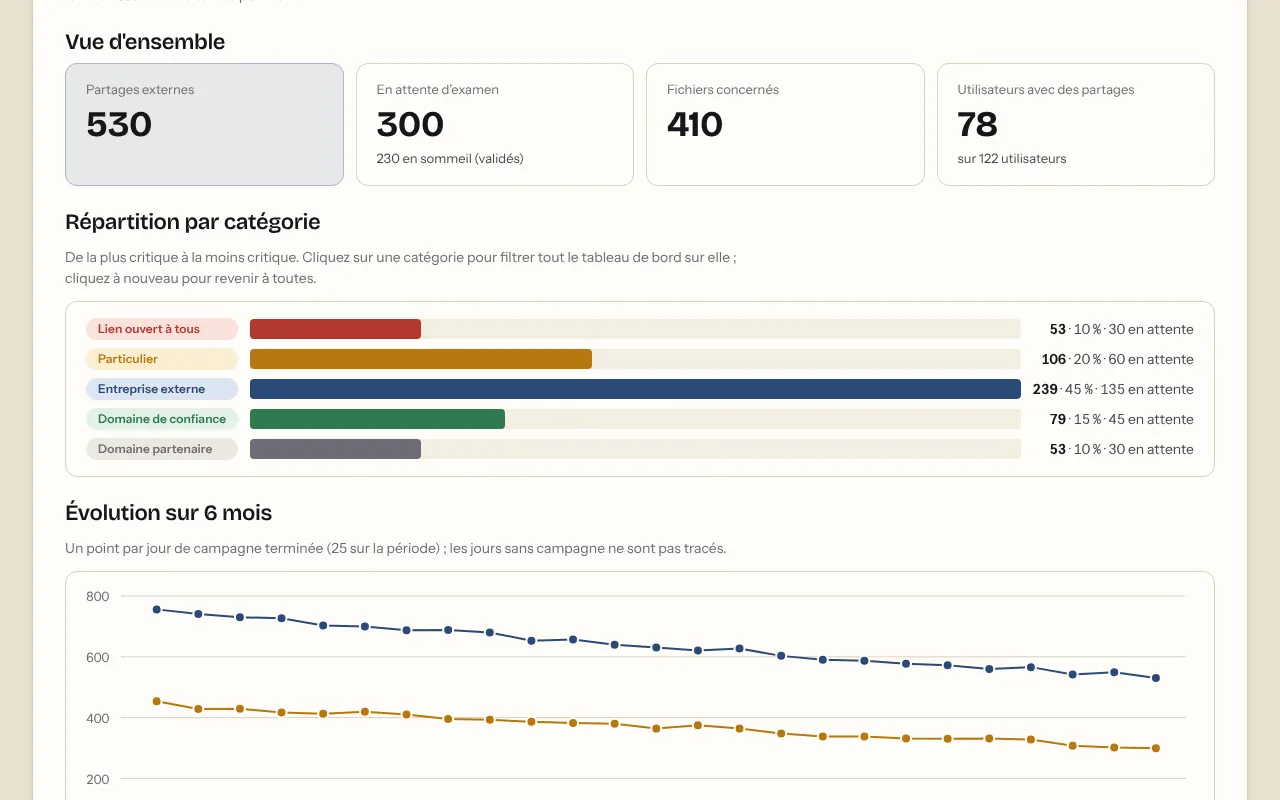
The dashboard
- How many files are shared outside, by domain, organisational unit, group and user.
- Six risk levels, from internal to open to anyone with the link.
- The trend over time, from 7 days to 12 months.
Scrub Tide
Scrub Tide finds and removes the external shares in your Google Drive: a dashboard for administrators, a clear list for every user.

Nobody really does. A share takes two clicks to create, and it never ends on its own.
“Anyone with the link”: a file forwarded once, and it travels around without anyone knowing where.
A contractor, a former colleague, a Gmail address: they still have access, long after the project ended.
A share set on a folder opens everything inside it, including whatever has been filed there since.
The four traps in detail: our article on external sharing.


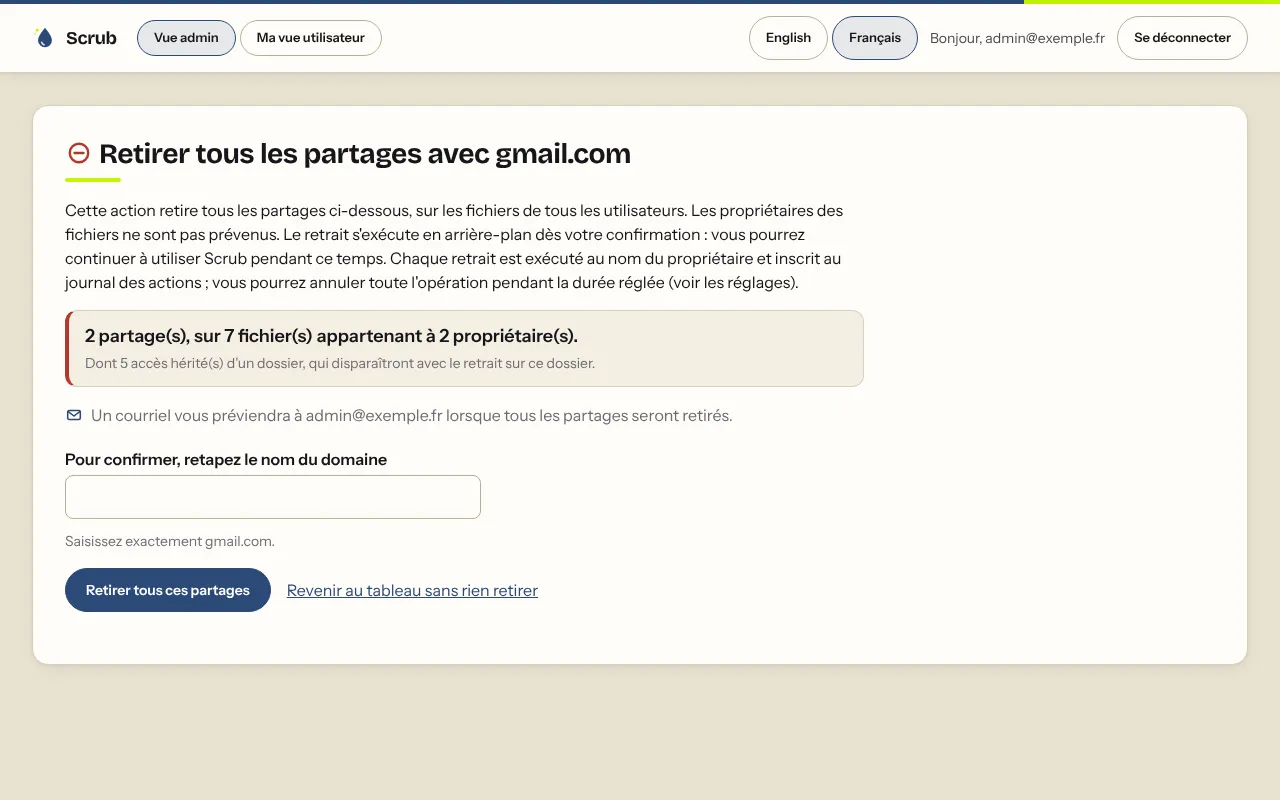
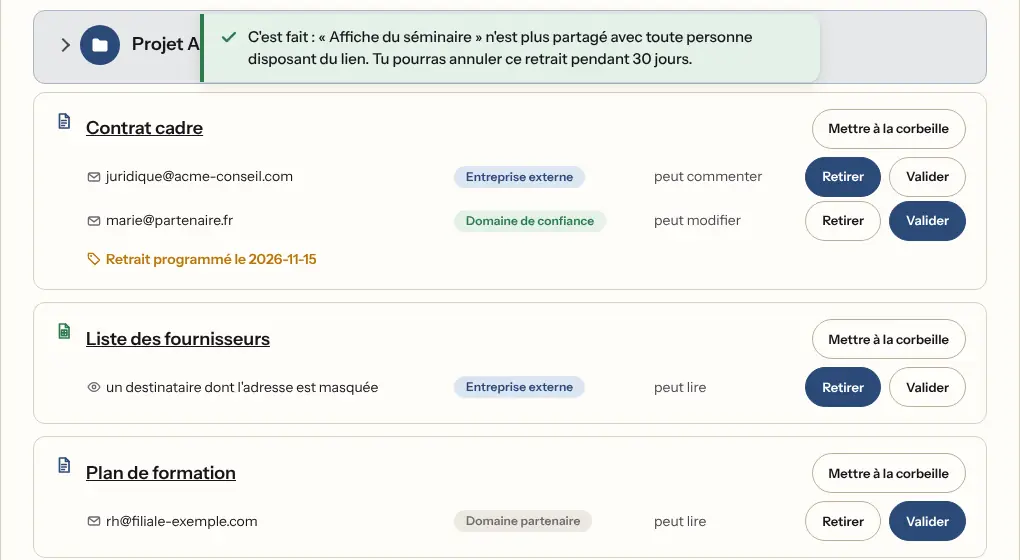
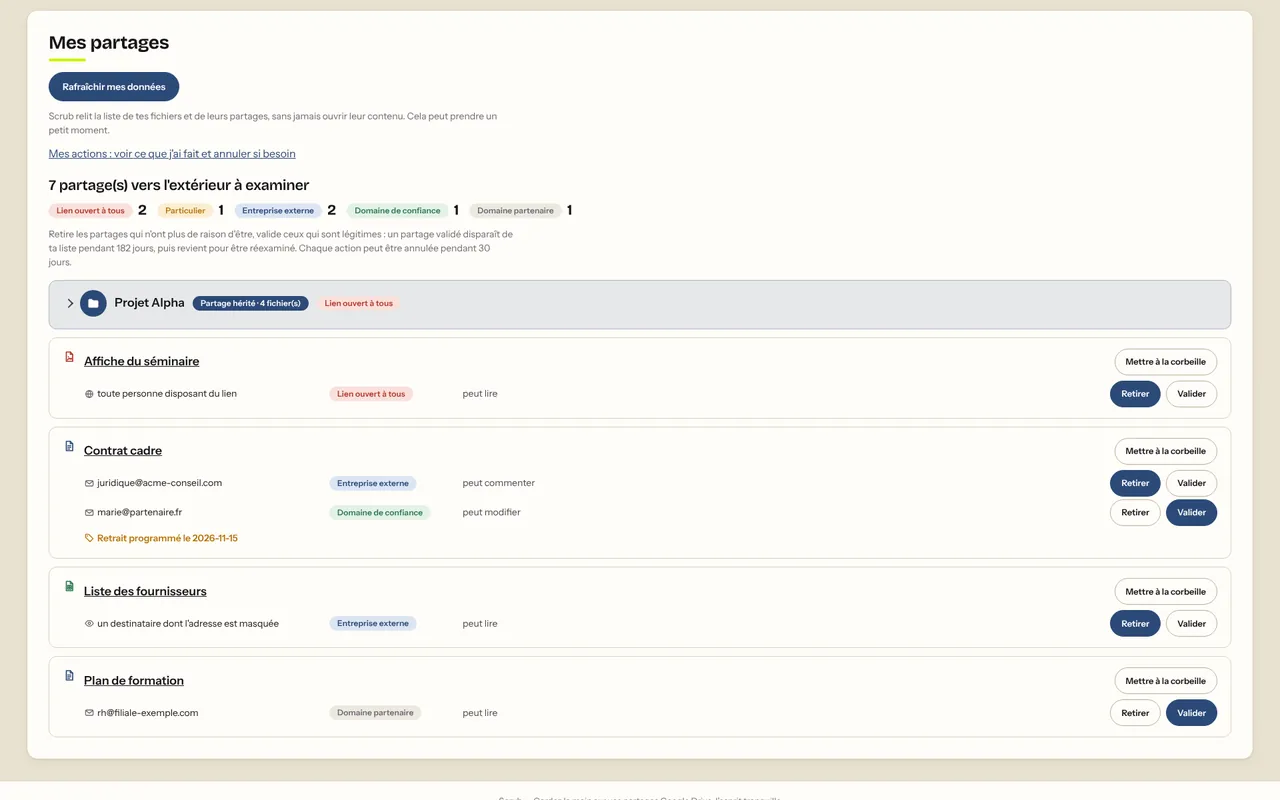
Screenshots of the tool (French interface) with sample data.
The Google Workspace administrator installs Scrub Tide for their organisation.
They authorise Scrub Tide in the Admin console, following the guide shown in the app.
Scrub Tide takes stock every week. Everyone removes, approves or undoes what they did.

Bonus: a single Drive label is enough to exclude a file from the review, or to schedule the date its share is removed.
Scrub Tide never reads your files: only their metadata and sharing information.
Every action is logged and can be undone for 30 days (adjustable).
Actions are carried out on behalf of the file's owner, which shows up in Google's audit logs.
Each organisation's data is kept isolated from everyone else's.
It all happens on scrubtide.app. And if you'd rather look at it together, let's talk for 30 minutes.
Describe the situation in three lines. Reply within 24 working hours, with an honest first opinion — even if the answer is “you don't need me”.
Rather talk it through? 30 free minutes, no strings attached.Book 30 min (opens in a new tab)
Or directly: contact@digitaletcloud.com