What's new in Google Workspace: Markdown, Meet does the follow-up, and a trap in Calendar
Google published a dozen announcements in one week. We kept six, the ones that actually change something for you, and we tell you what to do about them.
Every week, Google’s blog churns out Google Workspace updates by the bucketload. Some change your day-to-day, others concern three American banks. We’ve sorted through them for you.
On the menu: two updates for everyone, a piece of good security news that asks nothing of you, a trap to know about before the next person leaves the company, and two topics for administrators who like everything neat and tidy.
1. Markdown files finally open in Google Docs
Who it’s for: everyone. Level: beginner.
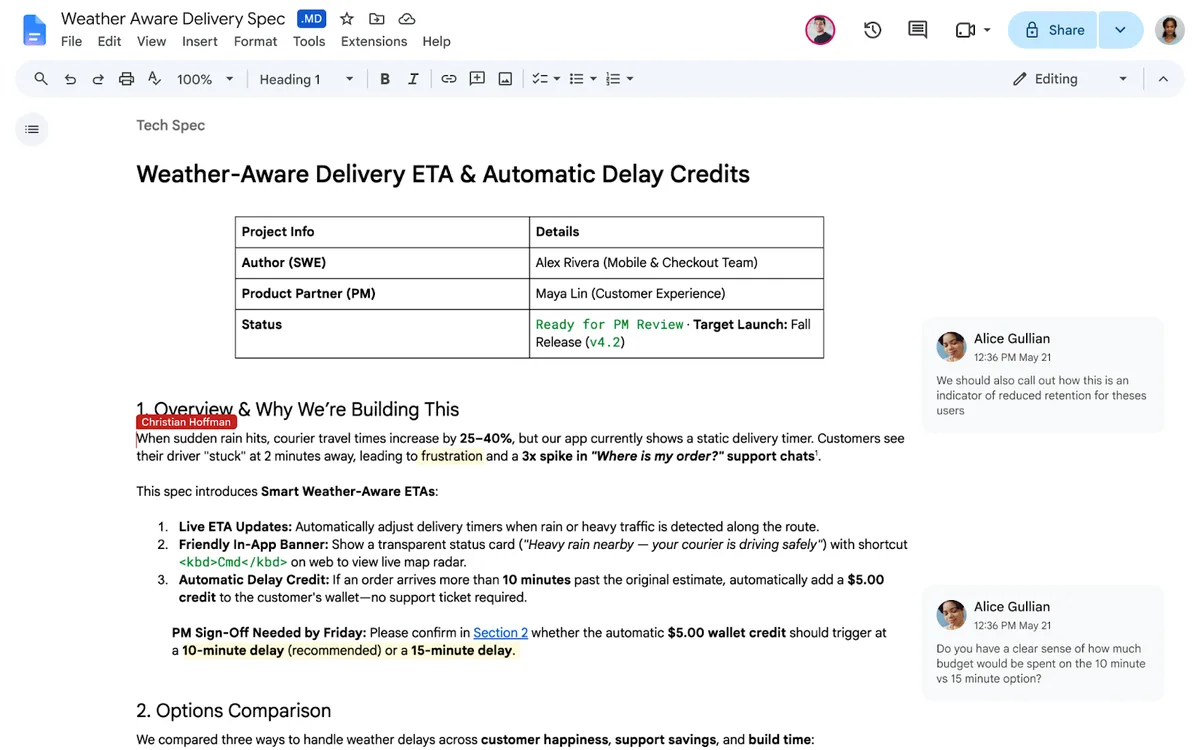
Markdown is that text format full of hashes and asterisks that you come across in technical documentation, and more and more in everything AI tools produce. Until now, to read it properly in Google Docs, you had to import it and convert it. Along the way, the formatting went haywire and the comments disappeared.
Not any more: a .md file opens, can be edited and commented on directly in
Google Docs, without changing format. Google Drive also shows it formatted,
with its headings, links and tables.
Our take: it’s a small change that fixes real friction between technical teams and everyone else. Nothing to switch on; the rollout started on 5 October. Google’s announcement
Licences affected: all Google Workspace editions, and personal Google accounts.
2. End of the meeting: Google Meet offers to do the follow-up for you
Who it’s for: Meet users and administrators. Level: beginner.
A finished meeting rarely means finished work: there’s still the recap email and the list of actions to hand out. Right after the call, Meet now offers two “next steps” prepared by Gemini: drafting the follow-up email in Gmail, and sending the actions to Google Tasks. Once switched on, a step can apply to all your meetings.
One condition: automatic note-taking (“Take notes for me”) has to be running during the meeting. On the plans side, you need Business Standard or Plus, or Enterprise Standard or Plus.
Our take: it’s useful, and it’s on by default. Before everyone jumps in, ask yourself two questions: do you want meeting recaps to start from drafts written by AI, and who proofreads before sending? The administrator can switch the feature off by department or by group. Google’s announcement
Licences affected: Business Standard and Plus, Enterprise Standard and Plus, and the Google AI Pro for Education add-on.
3. Google Meet moves to post-quantum encryption
Who it’s for: everyone, with nothing to do. Level: beginner.
The risk being tackled has a name: “harvest now, decrypt later”. Someone captures a meeting’s encrypted traffic today, stores it, and waits for a quantum computer powerful enough to read it. That machine doesn’t exist yet. Google is getting ahead of it: Meet calls are moving to encryption designed to withstand it, first in desktop browsers and on meeting room hardware, then on mobile.
Our take: nothing to plan, no settings, nothing changes on screen. Just keep the argument handy for the day a client or an auditor asks about the confidentiality of your video calls. Google’s announcement
Licences affected: all Google Workspace editions, Workspace Individual, and personal Google accounts.
4. Account deleted, calendars deleted: watch out when people leave
Who it’s for: administrators and HR managers. Level: intermediate.
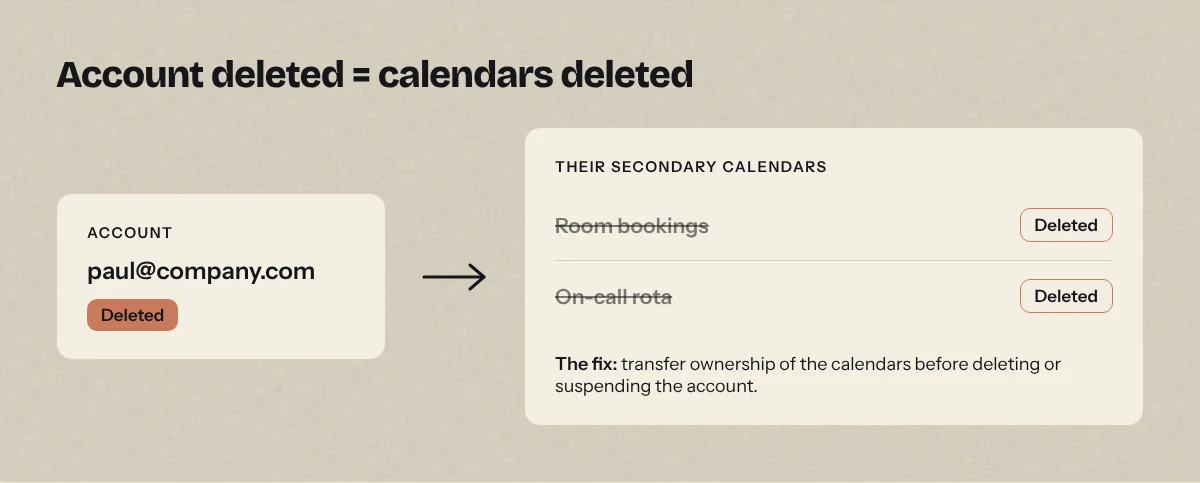
It’s the quietest update of the week, and the most dangerous. Secondary calendars, the ones you create alongside your main calendar (on-call rota, room bookings, team holidays), now share the fate of their owner. Account deleted: calendars deleted. Account suspended: calendars suspended.
You can picture it: someone leaves, their account gets deleted as usual, and the on-call rota the whole team relied on disappears with them.
Our take: add a line to your leavers’ process, right now. Before deleting or suspending an account, transfer ownership of its secondary calendars to someone who’s staying. The administrator can do it from the Admin console, and anyone can do it themselves from their calendar settings. It’s the same reflex as for shared files, which we covered in our article on external sharing. Google’s announcement
Licences affected: all Google Workspace editions and Workspace Individual.
5. The strictest security rules, only where they’re needed
Who it’s for: large companies and regulated sectors. Level: advanced.
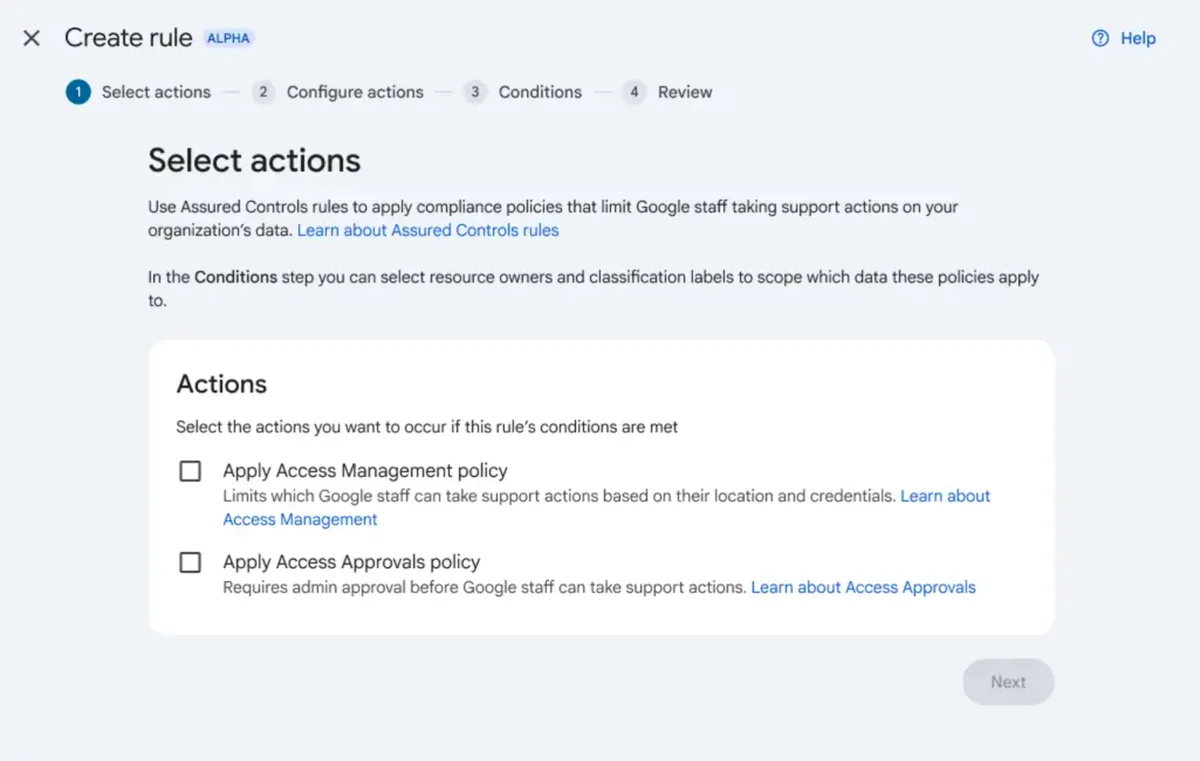
Some companies want to control who at Google can touch their data when support steps in: only staff based in Europe, for example, and only with their approval. Until now, these rules applied to all of a user’s files, in one block. The result: either everything was locked down and support became slow, or nothing was.
With the new Assured Controls rules, you target Drive files by their classification label. Files marked “sensitive” get the strict treatment, the rest keep fast support. Better still: a data loss prevention rule can apply the label on its own when it detects personal or financial data in a file.
Our take: it’s reserved for Enterprise Plus and Frontline Plus with the Assured Controls add-on, so it doesn’t concern most small businesses. For the others, it’s real progress: you protect what matters without slowing everything else down. Provided, of course, you have classification labels in place, which is rarely the case. Google’s announcement
Licences affected: Enterprise Plus and Frontline Plus, with the Assured Controls or Assured Controls Plus add-on (Assured Controls Plus is required for access management rules).
6. Workspace Studio: smarter automations, still with no code
Who it’s for: people who automate their repetitive tasks. Level: intermediate.
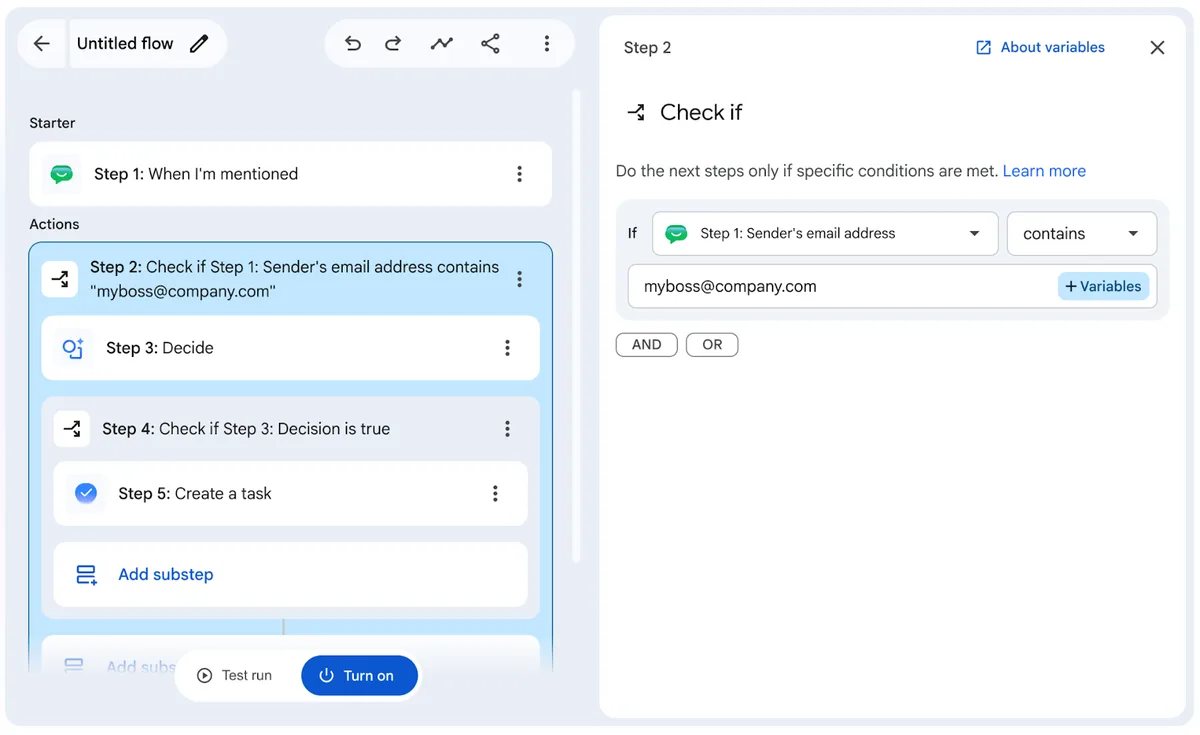
Workspace Studio, Google’s tool for automating tasks without writing code, gains four building blocks:
- chained conditions (“if this, and if that, otherwise…”) for finer scenarios;
- a Gmail trigger that can ignore replies and only react to the first email in a conversation;
- more information pulled from Meet meetings, including the full guest list, and a follow-up email template;
- a step that finds a document in Drive based on criteria.
Our take: it’s the logical next step after update no. 2. Taken together, these additions make genuinely useful chains possible, such as “a quote request comes in, the right template is found, a reply is waiting in draft”. Like any automation, it needs thinking through before it gets plugged in: who maintains it, and what happens when it gets it wrong? Google’s announcement
Licences affected: all Google Workspace editions and Workspace Individual, for accounts with access to Google Workspace Studio.
What to take away
If you only do one thing this week: update your leavers’ process for calendars (no. 4). For the rest, warn your teams that Meet is going to offer to write their meeting recaps (no. 2), and enjoy Markdown in Docs (no. 1).
A question about any of these updates, or want to know what they change for you? Let’s talk.
Sources
- Google Workspace Updates: Preview, edit and collaborate on Markdown (.md) files natively across Drive and Docs (5 October 2026)
- Google Workspace Updates: Find your routine next steps on the post-meeting screen in Google Meet (12 October 2026)
- Google Workspace Updates: Google Meet now uses post-quantum cryptography (12 October 2026)
- Google Workspace Updates: Secondary calendars will now follow the lifecycle of their owner (5 October 2026)
- Google Workspace Updates: Configure Access Management and Access Approvals policies using classification labels with rules in Assured Controls (12 October 2026)
- Google Workspace Updates: New logic and search steps in Workspace Studio help expand automation capabilities (9 October 2026)